Write. Rewrite. Revise.

The writing app for perfectionists.

Built by writers, for writers

Writing shouldn’t be linear.

Writing rarely happens in one clean draft.

It happens, instead, with bursts of inspiration, stream-of-consciousness first drafts, rushed prose, rewritten ledes, and rewritten codas. With darlings left on the cutting floor, with passages reworked until little resemblance of the first draft remains.

Most writing tools hide that hard work, with rewritten words erased from the page and darlings killed forever.

But writing is exploration. The first sentence you write is seldom the best; the bit you cut now might fit better down the page.

Reproof is built for the way writers write.

Rewrite paragraphs as many times as you want. Swap between takes to see which sounds best. Clip paragraphs to save them for later. Clean things up, with proofreading suggestions, with selective find and replace, with formatting and copying in both markdown and rich text. Roll back changes, with versioned document history.

Reproof preserves the paths not taken, so you can find your voice amidst the noise.

— The Reproof team

Why Reproof?

Write until you get it right.

01

Try another take.

Every paragraph in Reproof has versions, so you can write and rewrite, without losing any of your ideas along the way.

Write three takes on a paragraph. Compare them side-by-side. Start over with a different direction. Swap to see which flows best.

Keep exploring until you find the perfect take.

02

Save your darlings.

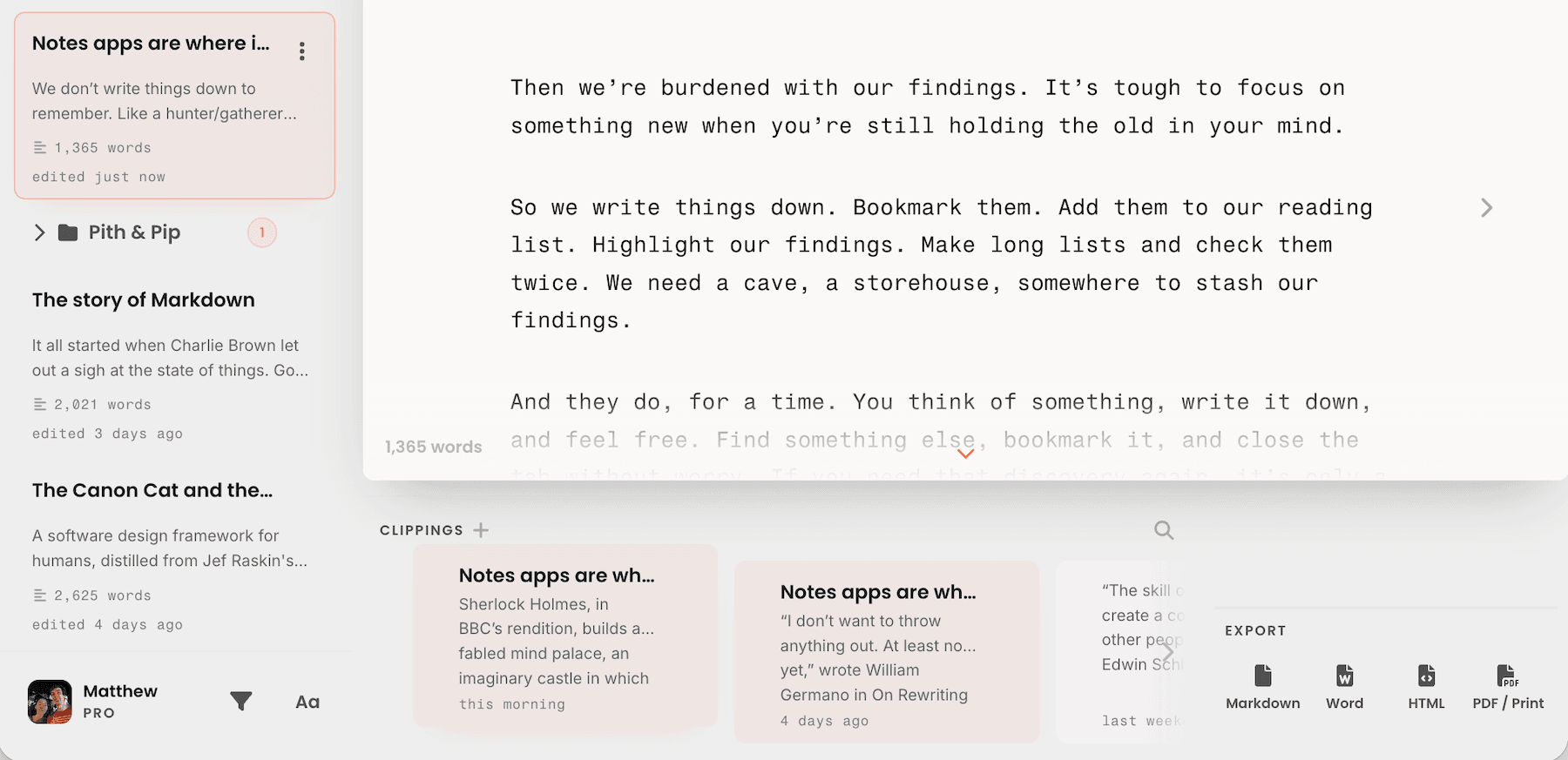
Clippings keep your best takes for later.

Cut paragraphs that don’t quite fit. Clip quotes and clever bits. Drag them back into documents, anytime, when you find the perfect spot to reuse them.

Clippings tray

03

Time travel.

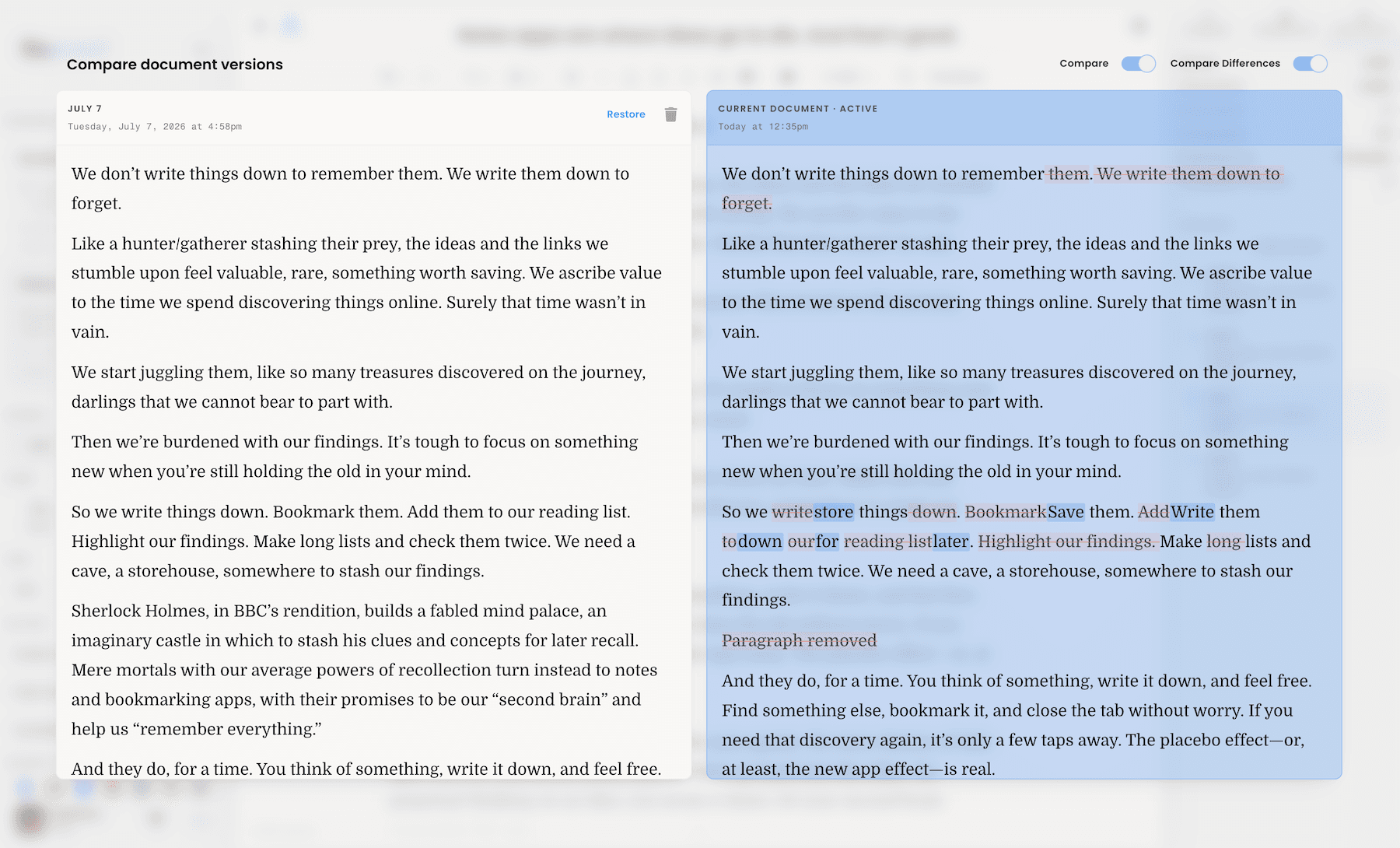
Reproof automatically saves daily document revisions. Or you can snap a snapshot anytime.

Roll back the clock. Look back at how your document evolved. Fork, diff, restore, and remix. Compare drafts side-by-side. Import and export your documents whenever you want.

Document history

04

Cut. Delete. Reword.

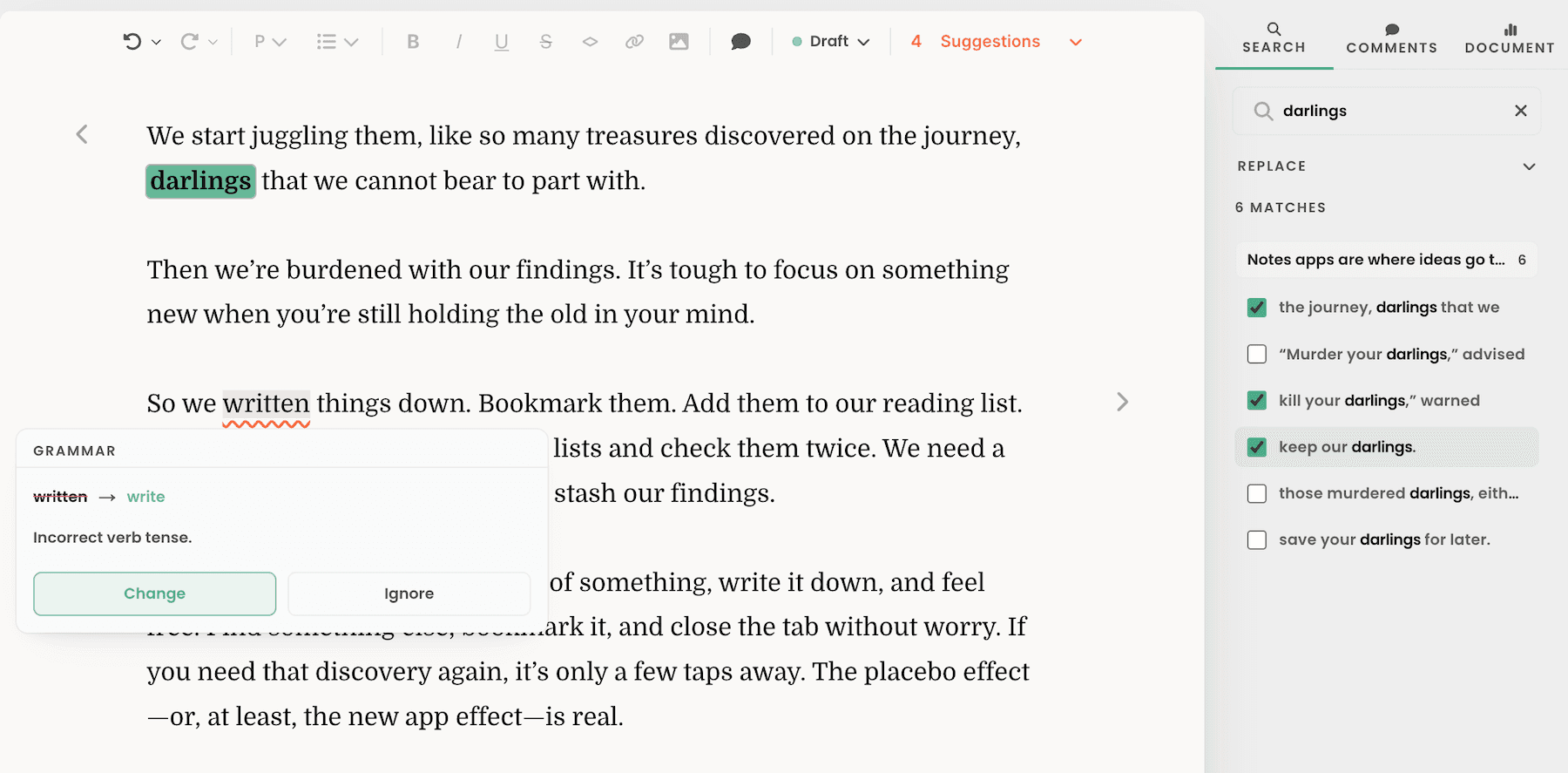
Proofreading catches your typos and TKs before you publish.

Fix spelling mistakes as you type. Run proofreading to catch grammar mistakes, repetitious prose, clichés, and more—but only accept the changes you want.

Proofreading

And more.

  • Side-by-side documents

    Open two documents, for two drafts or notes and a draft alongside each other. Resize the panes. Find and replace across documents.

  • Selective find and replace

    Search through documents, navigate through the results, and jump right into editing. Replace all at once, or select which results to replace.

  • Command palette

    Search through your library, customize your settings, and create new documents and clippings all from your keyboard.

  • Writing stats

    See how much you’ve written today, this week, this month, and all time, with stats, streaks, and a graph of your most productive days.

  • Markdown and rich text

    Write the way you write best, with symbols or shortcuts for formatting. Copy and paste Markdown or rich text, with code blocks for copy ready for your blog or newsletter.

  • Themes and fonts

    Light or dark mode, sans or serif or monospaced text, active line centering and inactive paragraph fading, and accent colors for a writing workspace that looks like you want.
Reproof. It’s the app to write until you get it right.

Reproof

Write. Rewrite. Revise.

Reproof is the app to write until you get it right. Free forever for 10 documents. $10 a month or $99 per year for unlimited documents.